



Team Texting Tactics
One of my high-performance teams refined their group text this week after it grew from 3 to 17 people. What began as a quick way for construction, maintenance, and operations staff to handle warranty issues turned into a broad notification channel for service outages. As more voices joined, the added questions, conflicting input, and endless “thumbs up” reactions diluted the chat’s effectiveness for the team doing the work. That’s why setting clear Team Texting Tactics is essential for keeping communication productive.
Group texts can be a powerful tool for quick communication – if used wisely.
Follow these team texting tactics to help keep team messages clear, focused, and effective.
- Stay on Purpose
Agree on why the group exists and stick to it. Before you hit send, confirm the text is on-topic, necessary, and adds value. - Be Brief, Clear and Use Emojis
Use short messages and standard phrases like “Completed” or “Needs Approval.” Set conventions like always starting with a location, followed by the issue (Building A – Lighting or Station Number – Utility Conflict). Define emoji codes like ✅= complete 🔴= needs attention (see below for Emoji Cheat Sheet). - Define Roles and Direct Messages
Identify key people and make it known that no reply (or “thumbs up”) is needed from others. Use “@ NAME” to direct discussion and request input. - Include Pictures
Use photos or screenshots to clarify issues, before/after conditions or progress. - Recap Key Info
Assign a person to regularly summarize the group text for project documentation.
Bonus Team Texting Tip
Know When to Call
Remember that sometimes a quick call or face-to-face resolves issues faster. Read more about Texting vs Calling here.
Smart Team Texting Tactics save time, cut confusion, and keep everyone aligned. Set clear rules early – and revisit them when needed to ensure your group texts continue to support collaboration rather than create noise.
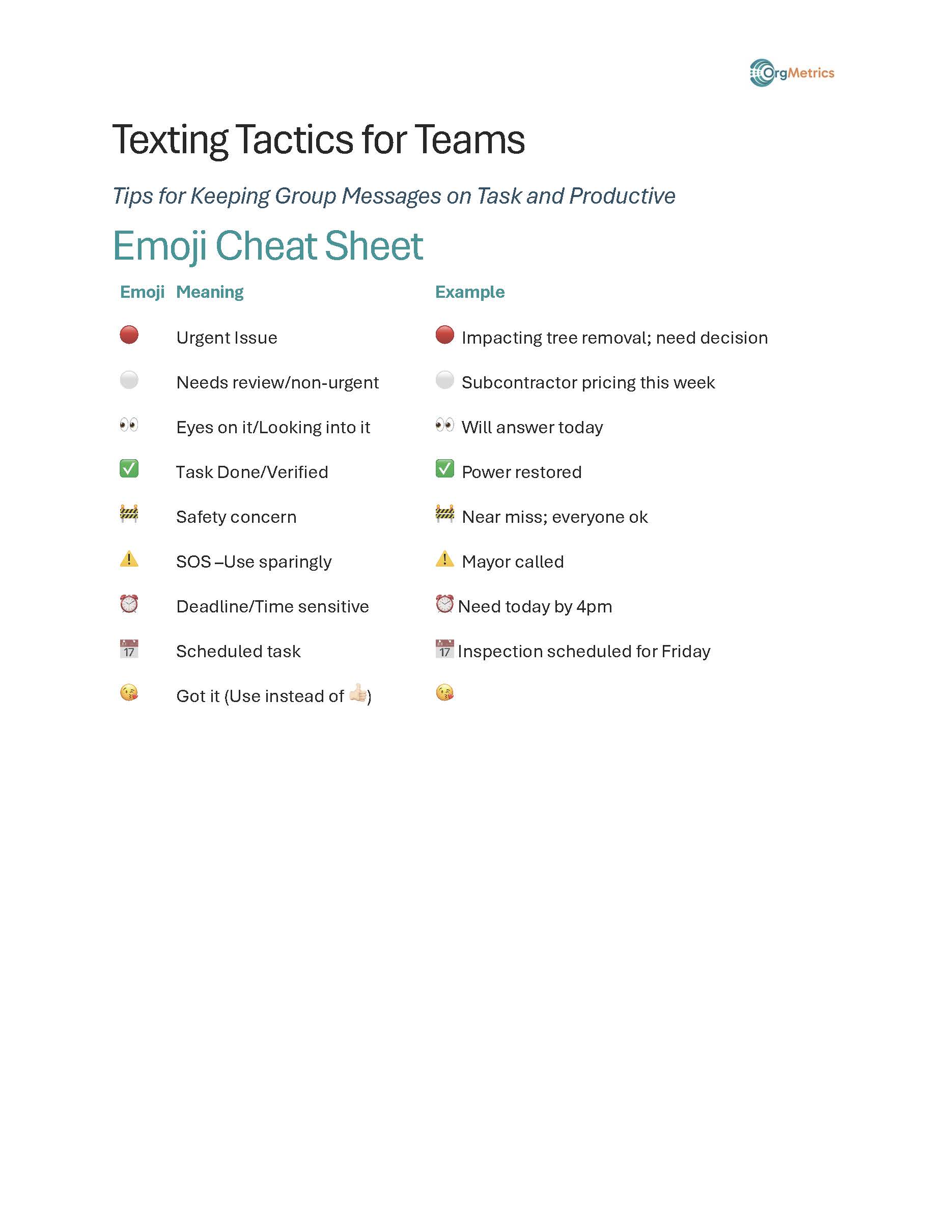
| Emoji Meaning | Example |
| 🔴 Urgent Issue | 🔴 Impacting tree removal; need decision |
| ⚪️ Needs review/non-urgent | ⚪️ Subcontractor pricing this week |
| 👀 Eyes on it/Looking into it | 👀 Will answer today |
| ✅ Task Done/Verified | ✅ Power restored |
| 🚧 Safety concern | 🚧 Near miss; everyone ok |
| ⚠️ SOS –Use sparingly | ⚠️ Mayor called |
| ⏰ Deadline/Time sensitive | ⏰ Need today by 4pm |
| 📅 Scheduled task | 📅 Inspection scheduled for Friday |
| 😘 Got it (Use instead of 👍🏻) | 😘 |
Here’s to smooth communication and solid work,
~ Cinda
 Cinda Bond, MIPI, has been an OrgMetrics partnering facilitator for more than 10 years. She has facilitated more than 500 sessions for teams throughout the country. She also collaborates with engineering and construction teams to develop large documents containing hundreds of pages for construction contracts and proposals.
For more information please contact Cinda Bond, CindaBond@Orgmet.com / (925)640-9007 (cell), or OrgMetrics RobReaugh@Orgmet.com / (925)449-8300